n8n as Backend: Debug, Monitor & Filter Executions
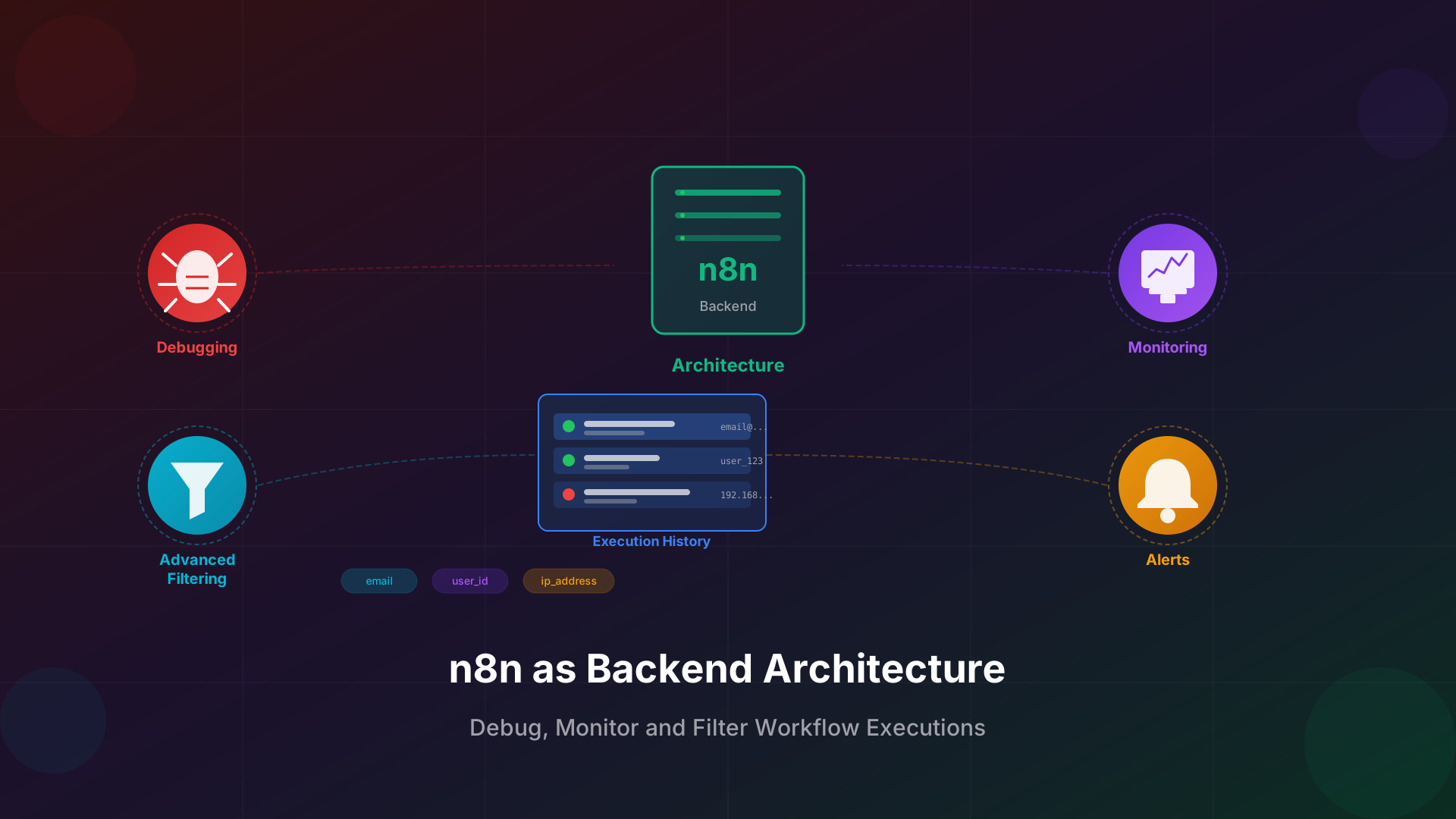
n8n has evolved beyond simple workflow automation into a robust backend architecture capable of handling complex business logic. With powerful execution history, advanced filtering, debugging tools, and alerting capabilities, n8n empowers development teams to build, monitor, and maintain production-grade systems with confidence.
Why n8n Works as a Backend Architecture
Traditional backends require extensive coding, server management, and infrastructure setup. n8n offers a visual, node-based alternative that handles API endpoints, data transformations, and integrations without writing boilerplate code.
The architecture separates concerns elegantly: webhook nodes expose RESTful endpoints, function nodes handle business logic, and integration nodes connect to databases and external services. This modular approach makes n8n ideal for:
- API backends: Create REST endpoints that process requests and return responses
- Data pipelines: Transform and route data between systems automatically
- Event-driven systems: React to webhooks, schedules, and external triggers
- Microservice orchestration: Coordinate multiple services in a single workflow
With PostgreSQL as the backing database and optional Redis for scaling, n8n handles production workloads while maintaining the flexibility developers need for rapid iteration.
Execution History with Advanced Filtering
One of n8n's most powerful features for backend use is its comprehensive execution history. Every workflow run is logged with full input/output data, timestamps, and status information. This creates an audit trail essential for debugging and compliance.
Advanced filtering transforms execution history into a powerful diagnostic tool. You can filter executions by:
- Email address: Track all workflow executions triggered by a specific user's email
- User ID: Filter by internal user identifiers to trace user-specific flows
- IP address: Identify executions from specific locations or detect suspicious activity
- Date range: Narrow down to specific time windows for incident investigation
- Execution status: Focus on failed, successful, or running executions
To implement user-based filtering, structure your webhook payloads to include identifying information. Then use the n8n API or UI to search executions containing that data. This approach enables support teams to quickly locate and review any user's workflow interactions.
Pro tip: Store user identifiers in a consistent JSON path across workflows. This standardization makes cross-workflow filtering seamless and enables powerful analytics.
Debugging and Reproducing Issues
When workflows fail in production, n8n provides the tools to understand exactly what went wrong. Each execution captures the complete data flow through every node, making reproduction straightforward.
The debugging workflow follows these steps:
- Identify the failed execution: Use filters to locate the problematic run
- Inspect node outputs: Review the data at each step to find where things diverged
- Copy input data: Extract the exact payload that caused the failure
- Reproduce locally: Run the workflow with the copied data in a test environment
- Fix and verify: Apply the fix and confirm with the original failing data
n8n's visual execution view shows the path data took through your workflow, highlighting successful and failed nodes. This visual debugging accelerates root cause analysis compared to parsing traditional log files.
For complex issues, you can pin specific node outputs and re-run downstream nodes with different configurations. This iterative debugging approach lets you test fixes without re-triggering the entire workflow.
Alerts and Monitoring Setup
Production backends require proactive monitoring. n8n supports multiple alerting strategies to ensure you catch issues before they impact users.
Built-in error handling nodes let you define custom alert flows:
- Slack notifications: Send immediate alerts to your ops channel when workflows fail
- Email alerts: Notify stakeholders of critical failures with full context
- PagerDuty integration: Escalate urgent issues to on-call engineers
- Custom webhooks: Push alerts to any monitoring system via HTTP
Beyond failure alerts, implement health monitoring by creating dedicated workflows that check system status. Schedule these to run at regular intervals and alert when dependencies become unavailable or response times exceed thresholds.
For enterprise deployments, integrate n8n with observability platforms like Datadog or Grafana. Export execution metrics to track workflow performance over time and identify degradation patterns before they cause outages.
Integration with Software Development Lifecycle
n8n fits naturally into modern development workflows. Its JSON-based workflow definitions enable version control, code review, and CI/CD integration.
Best practices for development lifecycle integration include:
- Version control: Export workflows as JSON and commit to Git repositories
- Environment separation: Maintain distinct n8n instances for development, staging, and production
- Code review: Review workflow changes in pull requests before deployment
- Automated testing: Create test workflows that validate business logic with known inputs
- Deployment pipelines: Use CI/CD to promote workflows through environments
The n8n API enables programmatic workflow management. Build deployment scripts that import workflows, update credentials, and activate workflows automatically. This automation eliminates manual deployment errors and ensures consistency across environments.
Treat workflows like code: review changes, test thoroughly, and deploy through controlled pipelines. This discipline prevents production incidents and enables confident iteration.
Building Resilient Backend Workflows
Production backends must handle failures gracefully. n8n provides error handling patterns that keep your systems resilient:
- Retry logic: Configure automatic retries for transient failures
- Error workflows: Define fallback paths when primary operations fail
- Dead letter queues: Capture failed executions for later processing
- Circuit breakers: Prevent cascade failures by stopping calls to failing services
Combine these patterns with comprehensive logging to build backends that recover automatically from common failures while providing full visibility into exceptional cases.
Getting Started with n8n Backend Development
n8n as a backend architecture offers the perfect balance of visual development speed and production-grade capabilities. With execution history, advanced filtering, debugging tools, and alerting, you have everything needed to build and operate reliable systems.
Start by identifying a workflow that would benefit from better observability. Implement structured logging with user identifiers, set up failure alerts, and establish a debugging process. As your confidence grows, expand n8n's role in your backend architecture.
Ready to accelerate your n8n backend development? Use n8n Builder to generate workflow foundations in seconds, then customize with the monitoring and debugging patterns covered here. Transform your approach to backend development with the power of visual automation.